Buddy robotics
Choosing a free robot control app is not as simple as downloading the highest-rated option. The right tool depends on your robot’s hardware, communication method, operating system, and control goals. What are the best free apps for controlling robots? This guide explores that question through practical features, compatibility, reliability, and ease of use. A polished interface helps, but stable commands matter more.
Real testing reveals important differences. A Bluetooth app may move a small rover smoothly across a classroom floor, while a Wi-Fi controller may handle camera feedback better. Some apps support joystick layouts, sensor readings, programmable buttons, or ROS integration. Others offer only basic directional controls. We consider setup time, connection stability, documentation, privacy settings, and community support. These details often decide whether an app feels useful after ten minutes.
Free does not always mean effortless. Expect occasional connection drops, limited customization, or unclear instructions. That is part of the evaluation. We also examine whether beginners can recover from mistakes without damaging motors or batteries. Safe testing starts with lifted wheels, low speed, and an emergency stop nearby. Experienced builders may prefer advanced controls, while students may need visual simplicity. There is no universal winner, although some apps clearly provide better value. Our recommendations aim to remain practical and honest, based on observable features rather than exaggerated promises.
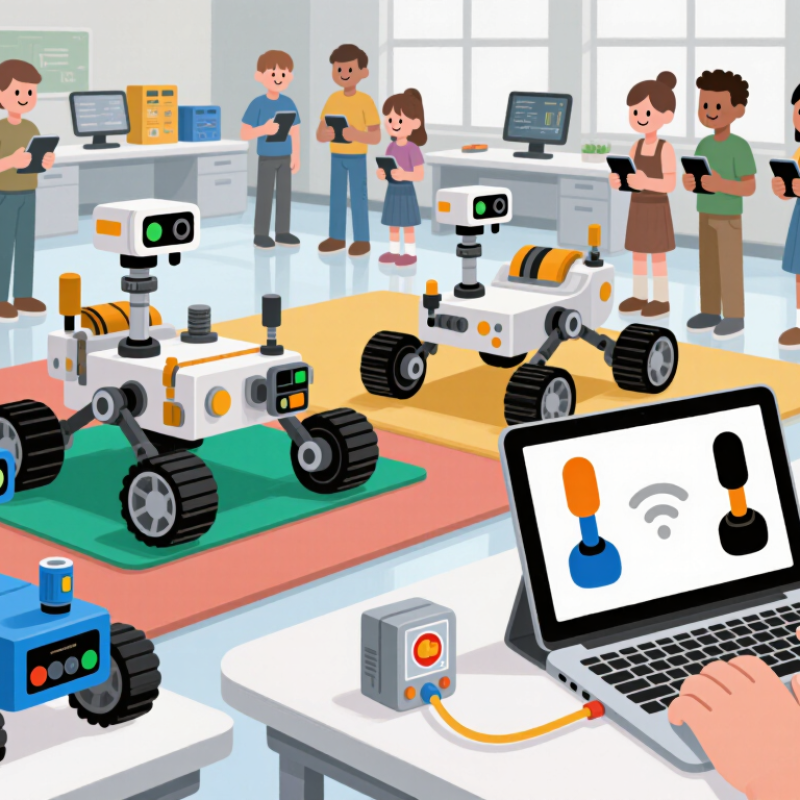
Free robot control apps are software interfaces that turn a phone, tablet, or computer into a command panel. They usually connect through Wi-Fi, Bluetooth, USB, or a local network. Users send movement commands, while onboard sensors return position, speed, and battery data. That exchange happens through an application programming interface, or API. Think of it as a live conversation.
The World Robotics 2024 report recorded 541,302 industrial robot installations in 2023. It also estimated 4.28 million industrial robots operating worldwide. This growth increases demand for simpler control tools beyond expensive engineering consoles. A free app may provide joystick control, waypoint editing, camera viewing, and basic automation. Some also support simulation before physical movement begins. The word free needs scrutiny. Downloading may cost nothing, while advanced features, cloud storage, or technical support require payment.
A reliable app should display connection status, emergency-stop access, battery levels, and sensor warnings. Latency matters. A delayed screen can turn a small command into a large movement. Security also matters, especially when control occurs over a shared network. The same report counted more than 205,000 professional service robots sold in 2023, showing how quickly these systems are entering workplaces. Still, free software is not automatically professional software. A careful review should admit that interfaces can look polished while offering weak diagnostics. Testing with low speed, clear boundaries, and a visible stop button remains essential.
The best free robot control apps are defined by practical features, not flashy screens. An effective app should connect quickly and show the robot’s status clearly. Battery level, signal strength, motor temperature, and active commands should remain visible. During a floor test, I want to spot a weak connection before movement becomes unsafe. Clear feedback reduces guesswork.
Responsive controls matter just as much. Buttons should react immediately, while sliders need precise movement for speed changes. A virtual joystick can help, but it should not hide essential controls. An emergency stop must be easy to find and difficult to trigger accidentally. That balance is harder than it looks. I still misjudge small touchscreen controls when wearing gloves.
Reliable apps also protect users and equipment. Permission settings should limit access to sensitive functions. Secure sign-in, encrypted communication, and detailed activity logs build trust. An offline mode can preserve basic controls when the network drops, although it may reduce available features. The app should explain that limitation clearly. Regular updates are useful, but forced changes can confuse experienced operators. Helpful tutorials, readable labels, and adjustable text sizes support both beginners and trained users. Good documentation should explain setup, calibration, and recovery steps without assuming technical expertise. In real use, simplicity often proves more valuable than an impressive feature list.
Free robot-control apps rarely speak to every machine directly. They use translation layers instead. A phone may discover a robot through Bluetooth, Wi-Fi, or a local network. The app then converts taps into commands that the robot’s controller understands.
According to the International Federation of Robotics’ World Robotics 2024 report, 541,302 industrial robots were installed worldwide in 2023. The previous edition recorded 553,052 installations in 2022.
That variety explains why compatibility matters more than a colorful interface.
A capable free app often supports standard communication methods, such as REST APIs, MQTT, serial connections, or robotics middleware. It can display battery levels, joint positions, camera feeds, and error codes in one control panel. Some apps also provide virtual joysticks, task sequences, and emergency-stop requests.
However, these features depend on the robot’s firmware and available interfaces. A low-cost educational robot may accept simple movement commands, while an industrial arm may require authentication, calibrated coordinates, and permission limits.
Testing should happen in a controlled area. The operator can begin with a slow speed, confirm each axis, and watch for delayed responses. ISO 10218 emphasizes risk reduction around industrial robot systems, and free software cannot replace those safeguards.
This is the weak point. “Free” may still involve setup time, unstable connections, or missing documentation. A practical review should record connection distance, command latency, recovery after signal loss, and whether the app clearly reports failure.
Small details matter.
Why Are These the Best Free Robot Control Apps?
Why Do These Apps Offer Practical Benefits for Users?
Free robot control apps can turn a phone or tablet into a practical control panel. Users can adjust movement, test commands, and monitor basic responses from a familiar screen. This reduces the need for expensive dedicated equipment during early experiments. A simple slider may control speed, while large buttons can trigger repeated actions. That matters.
These apps also support learning through direct feedback. A user can change one setting, observe the robot’s movement, and record the result. Visual status indicators may reveal connection delays, low battery levels, or failed commands. Such details help beginners understand cause and effect without studying complex hardware manuals. In classroom projects, shared controls can make demonstrations easier and more interactive. The setup is imperfect. Some apps may offer limited device compatibility, confusing menus, or unreliable wireless connections.
Practical value also depends on responsible use. Users should check permissions, protect local network access, and test commands at low speed first. A clear emergency stop is more important than decorative features. Saving control profiles can reduce repeated setup, but incorrect settings may still create unexpected movement. I would not trust an unfamiliar app immediately. Reviewing update history and available documentation provides stronger evidence of reliability. Free access is useful, yet privacy policies and data collection deserve careful attention. A low-cost tool can still require thoughtful judgment.
A practical comparison of free robot-control app categories and the benefits they commonly provide.
| Free App Category | Primary Control Method | Typical Robot Functions | Required Connection | Learning Curve | Practical User Benefit | Important Limitation |
|---|---|---|---|---|---|---|
| Block-Based Programming App | Visual drag-and-drop commands | Motor movement, timed actions, simple sensor responses, and repeatable routines | Bluetooth, USB, or local wireless network | Low | Reduces syntax errors and helps beginners understand sequencing, loops, and conditional logic. | Advanced motion planning and complex data processing may not be supported. |
| Virtual Joystick App | On-screen joystick, directional pad, or sliders | Forward and reverse movement, steering, speed adjustment, and actuator control | Bluetooth or Wi-Fi | Low | Provides immediate manual control for testing, demonstrations, and basic teleoperation. | Continuous manual input is usually required and may be unsuitable for autonomous tasks. |
| Robot Dashboard App | Buttons, status panels, charts, and control widgets | Start/stop commands, battery monitoring, sensor readings, alerts, and operating modes | Local network or serial connection | Medium | Combines control and monitoring in one interface, making faults easier to identify during operation. | Users may need to configure communication settings and device-specific controls. |
| Sensor Monitoring App | Live numerical readings and visual indicators | Distance, temperature, light, orientation, battery voltage, and motion data | Bluetooth, USB, or Wi-Fi | Medium | Supports troubleshooting and calibration by showing how the robot reacts to its environment. | Sensor accuracy depends on hardware quality, placement, and calibration. |
| Remote Camera Control App | Live video feed with movement controls | Remote driving, visual inspection, navigation assistance, and recording | Wi-Fi or local wireless network | Medium | Allows users to operate or inspect a robot when direct visibility is limited. | Video delay, weak network coverage, and low lighting can reduce control accuracy. |
| Robot Simulation App | Virtual robot models and simulated controls | Movement tests, sensor experiments, path planning, and program validation | Computer-based software; no physical robot required | Medium | Enables safe testing without risking hardware damage and lowers the cost of early experimentation. | Simulation results may differ from real-world behavior because physics and sensor models are approximations. |
| Command-Line Control Tool | Text commands, scripts, and configuration files | Precise movement commands, automation, diagnostics, and repeatable tests | USB, serial, Ethernet, or Wi-Fi | High | Offers fine-grained control and is well suited to repeatable experiments and technical workflows. | Requires familiarity with terminals, command syntax, device addresses, and error handling. |
| Open Protocol Control App | Standardized messages or application programming interfaces | Cross-device commands, telemetry exchange, modular control, and system integration | Network, serial, or middleware connection | High | Can make different components easier to connect when they support compatible communication protocols. | Compatibility is not guaranteed; message formats, permissions, and timing must be configured correctly. |
Note: Feature availability varies by robot hardware, operating system, connection method, and app configuration. “Free” refers to software that can be used without a mandatory purchase or subscription; hardware and optional services may still involve costs.
Why Are These the Best Free Robot Control Apps?
Choosing a free robot control app requires more than checking its download count. Start with compatibility. The app should support your robot’s operating system, connection method, sensors, and control language. The International Federation of Robotics reported 541,302 industrial robots were installed worldwide in 2023. This growth makes reliable control software increasingly important. A cheap app can still be useful, but unstable commands may waste batteries, time, or training data.
Security deserves equal attention. Check permission requests, update history, encryption, and whether data leaves your device. The 2024 IBM Cost of a Data Breach Report placed the average breach cost at 4.88 million dollars. That figure concerns organizations, not every hobbyist. Still, it shows why careless data handling matters. Look for clear documentation and transparent privacy policies. Offline control is often safer, although it may reduce remote monitoring features. I have found that attractive interfaces can hide confusing calibration steps. That is an easy weakness to overlook.
Tips: Test the app in a safe, open area. Confirm emergency-stop behavior before moving the robot. Compare response delay at different distances. Read recent user feedback, but treat ratings carefully. A free app with fewer features may be more dependable than a crowded one. Also, record your settings. Small changes in speed, turning limits, or sensor sensitivity can produce surprisingly different results. No app is perfect. Your testing notes may reveal that earlier choice was not the best one.
It turns a phone, tablet, or computer into a robot command panel. It can send movement instructions and display sensor information. Think of it as a live conversation. The software may cost nothing to download. Advanced tools can still require payment.
Common connections include Wi-Fi, Bluetooth, USB, and local networks. The app sends commands through an API. The robot returns data about position, speed, and battery level. A weak connection may delay movement.
Look for movement controls, waypoint editing, camera viewing, and basic automation. Simulation can help test actions before physical movement begins. Status information should stay visible during operation. A crowded screen is not always helpful.
Connection status shows whether commands can reach the robot. Latency measures the delay between touching the screen and seeing movement. Even a short delay can create a larger movement. Latency hurts. Test slowly.
A clear emergency-stop button should remain easy to find. It should resist accidental touches but remain quickly accessible. Battery warnings, sensor alerts, and signal notices are also valuable. Use low speed first. Keep clear boundaries.
Begin with low speed and a visible stopping method. Test movement in an open area with clear limits. Check the battery, signal strength, and motor temperature. A paper marker on the floor can show movement distance. My judgment can still be wrong.
Not automatically. A polished interface may still offer weak diagnostics. Some free tools limit cloud storage, automation, or technical support. Read the feature details carefully. Free is not a guarantee.
Permission controls should restrict sensitive robot functions. Secure sign-in and encrypted communication can reduce access risks. Activity logs help review commands and unusual changes. Shared networks need extra caution. Offline mode may preserve basic control, but fewer features can remain available.
Free robot control apps are software tools that allow users to operate, monitor, and adjust robots through a phone, tablet, or computer. They typically communicate through wireless networks, Bluetooth, or other supported connections, translating user commands into movement, task, or configuration instructions. The most effective apps offer clear controls, responsive performance, real-time status updates, customizable settings, and helpful safety features. They should also be easy to learn while remaining flexible enough for different robot types and skill levels.
What are the best free apps for controlling robots? The answer depends on compatibility, connection stability, control options, interface quality, and the kind of robot being used. A good free app can make robot operation more convenient by supporting remote access, routine adjustments, basic troubleshooting, and live feedback without requiring expensive equipment. Before choosing one, users should check device compatibility, supported communication methods, privacy protections, update frequency, and whether the app provides reliable guidance. The best choice balances usability, functionality, and safe operation for the user’s specific needs.
