Buddy robotics Buddy robotics

Why Update Firmware on an Educational Robot?

Time:2026-10-01 Author:Amelia
0%

Firmware is the quiet operating layer behind every educational robot. It controls motors, sensors, wireless links, safety limits, and classroom activities. When firmware becomes outdated, a robot may drift, disconnect, overheat, or misread a distance sensor. These failures waste lesson time and can confuse beginners.

IoT Analytics estimated that 18.8 billion connected IoT devices would operate worldwide by the end of 2024. Educational robots belong to this expanding ecosystem. Verizon’s 2024 Data Breach Investigations Report also recorded a 180% increase in vulnerability exploitation. Those figures make firmware maintenance more than a technical preference. It becomes part of responsible educational technology management. NIST SP 800-193 recommends protecting platform firmware through controlled updates, recovery methods, and integrity checks. The same discipline belongs in a school laboratory.

So, How to update the firmware on an educational robot? The process should begin with the exact model, current version, battery level, and manufacturer instructions. A teacher should save student projects before connecting the robot. Then, use the official application, stable power, and a verified firmware package. Never interrupt the robot during installation. A failed update can leave a classroom device unusable.

Bruce Schneier’s well-known observation remains relevant: “Security is a process, not a product.” Firmware work follows that principle. Updates improve reliability, but they can also introduce compatibility problems. I have seen a small version mismatch disable a familiar sensor block. That deserves reflection. A careful checklist, a test robot, and a rollback plan protect both learning time and student confidence.
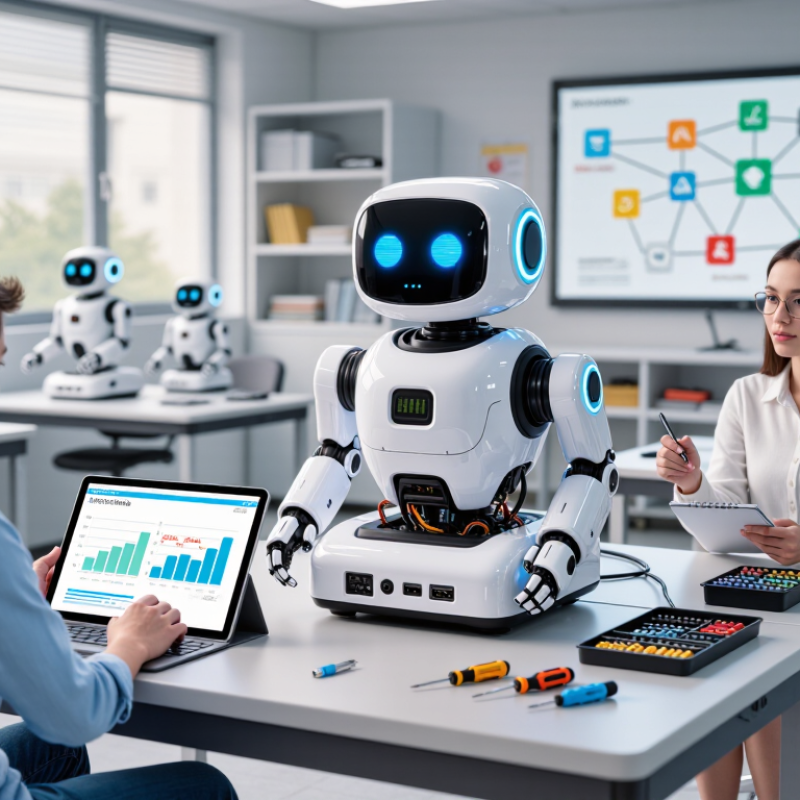
Why Update Firmware on an Educational Robot?

Identify Firmware’s Role in Safety, Sensors, and Classroom Reliability

Why Update Firmware on an Educational Robot?

Firmware quietly controls how an educational robot reads sensors, limits motor power, and responds to commands. In classroom testing, an outdated version can create delayed movement or inconsistent readings. A distance sensor might report a clear path when a chair is nearby. That small error can cause a collision, interrupt a lesson, or confuse students.

Updates often improve safety rules, sensor calibration, battery monitoring, and communication between hardware components. They can also fix faults that appear only after repeated use. Reliable firmware makes classroom behavior more predictable. Teachers can focus on experiments instead of restarting devices. However, an update is not automatically perfect. A new version may change timing or require fresh calibration. That deserves honest checking.

Tips: Record the current firmware version before updating. Charge the robot fully. Test movement with the wheels lifted first. Check distance, touch, and light sensors separately. Then run a slow floor test in an open area. Keep a short log of errors and improvements. Do not update every device at once. Test one unit, observe it, and revise the plan if results differ. Simple evidence beats assumptions.

Refresh Compatibility: ROS 2 Jazzy Is Supported Until May 2029

Why Update Firmware on an Educational Robot?

Updating firmware is not just a maintenance task. It can keep an educational robot compatible with ROS 2 Jazzy, whose support is scheduled through May 2029. That timeline matters in classrooms. A robot bought this year may still support lessons, simulations, and software assignments several semesters later. The International Federation of Robotics reported 4.28 million industrial robots operating worldwide in 2023. This growth increases the need for students to understand reliable software integration, not only mechanical movement. A current firmware layer can improve message handling, sensor access, and communication stability. Small delays become obvious when a robot follows a marked path.

Compatibility also supports practical skills. The World Economic Forum’s Future of Jobs Report 2025 says 39% of workers’ existing skills may change or become outdated by 2030. Educational robots give learners a physical place to practice those changing skills. They can inspect logs, test control nodes, and compare behavior before and after an update. Keep a rollback plan. Updates can change timing, driver behavior, or classroom instructions. I have seen a clean installation still create confusing sensor readings. That possibility deserves honest testing. Record the firmware version, operating system, and ROS 2 distribution beside each robot. A dated label near the charging port helps. It is simple, but useful.

Why Update Firmware on an Educational Robot?

Refresh compatibility: ROS 2 Jazzy was released in May 2024 and is supported until May 2029. The chart shows the calendar months within this support window, helping teams plan firmware maintenance and classroom deployments.

Reduce Cyber Risk: Verizon’s 2024 DBIR Finds 68% Human Involvement

Why Update Firmware on an Educational Robot?

An educational robot is more than a classroom device. It connects to sensors, tablets, wireless networks, and sometimes shared computers. Old firmware can leave these connections exposed. A forgotten update may allow attackers to exploit known weaknesses, alter movement commands, or access stored classroom information.

The 2024 Data Breach Investigations Report found human involvement in 68% of breaches. That figure includes mistakes, misuse, and social engineering. Firmware cannot remove every human error. It can reduce the number of technical weaknesses that errors expose. NIST SP 800-40 Rev. 4 recommends planned patching, asset inventories, and risk-based update decisions. These practices matter when dozens of robots share one learning space. A teacher may connect the wrong cable. A student may reuse a weak password. Small actions can create larger risks.

Tips: Check the firmware version before each term. Use signed updates from verified sources. Record the robot, update date, and responsible staff member. Test one unit first. Keep a recovery plan nearby. Do not assume the update worked because the robot still moves. Review its connection settings afterward. This step is easy to skip, honestly. That is where teams should reflect. A secure process must fit real classroom pressure, not an ideal schedule.

Follow NIST SP 800-40: Plan, Test, Deploy, and Verify Updates

Why Update Firmware on an Educational Robot?

Firmware updates are maintenance, not optional classroom decorations. NIST SP 800-40 Rev. 4 recommends planning, testing, deploying, and verifying updates as a repeatable process. Start with an accurate inventory. Record each robot’s model, firmware version, classroom location, and connected accessories. This prevents one overlooked unit from becoming the weakest link.

Test before teaching.

Use a spare robot and a realistic lesson. Check movement limits, sensor readings, battery behavior, wireless connections, and emergency stops. Keep the previous firmware available for rollback. Our first rollout was too optimistic; one update changed timing during a group activity. That failure exposed a missing test case, not merely a technical mistake. Document the result, then improve the test plan.

Deploy in small waves, preferably outside class hours. Confirm power levels and stable connectivity first. After installation, verify the version, core functions, access controls, and event logs. Ask instructors to report unusual sounds, delays, or unexpected movement. The 2024 Data Breach Investigations Report reported a 180% increase in vulnerability exploitation, showing why delayed patching deserves attention. Educational robots may hold less sensitive data than enterprise systems, but they still operate around children, networks, and valuable learning time. A signed update package, restricted administrator access, and clear rollback procedure strengthen trust. Verification is often rushed. That is where the process can quietly fail.

Validate Outcomes: IBM’s 2024 Report Sets Average Breach Cost at $4.88M

Why Update Firmware on an Educational Robot?

Firmware updates are not only about new movements or smoother classroom demonstrations. They can repair weak authentication, outdated encryption, and exposed communication ports. A 2024 global security report placed the average data breach cost at $4.88 million. That figure changes how schools should view a small teaching robot. A device may store student names, lesson records, network settings, or camera data. One overlooked robot can become an entry point into a wider system. The risk feels distant. It is not.

In a real classroom check, staff should record the firmware version, update date, and device owner. They should download updates from verified sources and test one robot before updating a full fleet. A failed update can interrupt a lesson or disable a sensor. Keep a recovery cable nearby. Keep offline instructions too. I once treated update logs as paperwork, but they later proved useful during troubleshooting. That mistake was avoidable.

Tips: Disconnect unused accessories before updating. Use a separate classroom network when possible. Confirm that student data is not stored unnecessarily. Ask who approves each update, who tests it, and who responds after failure. Do not assume newer means safer. Review the release notes, check the robot’s behavior, and let another teacher repeat the test. Small habits matter.

FAQS

Why should an educational robot receive firmware updates?

Updates can repair weak authentication, outdated encryption, and exposed communication ports. Old firmware creates avoidable risks.

What information might a robot store?

It may store student names, lesson records, network settings, or camera data. Check storage before updating.

How often should staff check the firmware version?

Check it before each academic term and after major network changes. Record the date and responsible staff member.

How can staff update several robots safely?

Test one robot first. Use verified, signed update files. Then check movement, sensors, and connection settings.

What should staff do if an update fails?

Keep a recovery cable and offline instructions nearby. Stop using the affected robot until its status is confirmed.

Can firmware updates remove human mistakes?

No. A student may reuse a weak password, or a teacher may connect the wrong cable. Updates only reduce technical weaknesses.

How should schools protect classroom information?

Use a separate classroom network when possible. Remove unnecessary stored data and disconnect unused accessories during updates.

What details belong in an update record?

Record the robot, firmware version, update date, tester, and device owner. Logs may seem boring, but they help during troubleshooting.

Should staff trust an update because the robot still moves?

No. Check release notes, sensors, authentication, and network settings. Movement alone proves very little.

Who should approve and review an update?

Assign one person to approve it, another to test it, and someone to respond after failure. This process may feel excessive, but skipping it causes confusion.

Conclusion

Firmware is the foundation that helps an educational robot operate safely, interpret sensor data accurately, and perform reliably in busy classroom environments. Regular updates can correct defects, improve motion and safety controls, and maintain compatibility with current educational software. With the latest robotics framework supported through May 2029, updating firmware also helps schools avoid compatibility problems and extend the useful life of their equipment. A practical question for teachers and technicians is: How to update the firmware on an educational robot?

A responsible process should include reviewing the release notes, backing up settings, checking hardware and software requirements, and testing the update on a controlled device before wider deployment. After installation, verify sensor readings, movement limits, communication, and recovery procedures. Updates also reduce cyber risk, especially because 68% of security incidents involve human participation. Careful planning, testing, deployment, and verification can prevent avoidable failures. Considering that the average data breach costs approximately $4.88 million, maintaining updated and well-managed educational robots is both a safety practice and a sound operational decision.

Amelia

Amelia

Amelia is a seasoned marketing professional with a wealth of expertise in our company’s core offerings. With an unwavering passion for driving growth and innovation, she plays a pivotal role in shaping our marketing strategies and enhancing brand visibility. A key aspect of her responsibilities......